Messaging with nothing to hand over

No phone number. No email. No password. Your identity is a key made on your device, and it never leaves it.

If we were served a legal order tomorrow, everything we could hand over is up to 14 days of ciphertext nobody can link to a person — and nothing else. Not a name, not a contact list, not one message we could read.

Open Ombra

Free. Nothing to download from a store.

An Ombra conversation, showing messages in bubbles with the sender's handle above each one.

What we hold about you

Almost all of these are zero

0
Phone numbers
0
Email addresses
0
Passwords
0
Contact lists
0
Messages we can read
0
IP addresses in any log
0
Analytics or tracking scripts
14
Days an undelivered message waits, encrypted, before it is deleted

The one thing we do keep

Every handle that has been claimed, as a plain list of names with no address beside them. A name people chose to publish is not a secret, and we need the list to stop impersonation. The app says this too, in the same words. If you would rather not appear on it, do not claim a handle — everything else works without one.

Your identity

An address, not an account

The Ombra address screen, showing a 26-character address made of grouped letters and numbers.

When you open Ombra it makes a key on your device. Your address is a fingerprint of that key — nothing was registered, nothing was reserved, and nobody was asked.

It is what somebody compares to be certain they are talking to you. Read it aloud to them, or show it in person. That check is the one thing an attacker cannot fake, and it is the only thing that establishes who you are.

There is no password because there is nothing to log in to. There is no recovery, for the same reason — see the caveats below before you rely on this.

Conversations

Encrypted so that we cannot read them

Not "we promise not to look". The keys exist only on the two devices talking, and they change with every message — so a key taken today does not open what was said yesterday.

The relay stores an encrypted message until the other device collects it, then deletes it. It cannot tell who sent it or who it is for: the address it is filed under changes every day and is derived from a secret only the two of you share.

  • · Disappearing messages — set per conversation, not globally
  • · Read receipts off by default, and turned on one conversation at a time
  • · Photos are stripped of metadata — location, camera, timestamp — before they are encrypted
  • · Notifications carry nothing. They say a message arrived, never who from or what it says
The Ombra inbox, listing two conversations by handle with their addresses shortened underneath.

Names

A name nobody can imitate

The Ombra handle screen, explaining that a handle is chosen once and cannot be changed.

A handle is easier to pass on than 26 characters. Claiming one is optional and free for names of four characters or more.

Lookalikes are impossible rather than discouraged. Before a name is stored, characters that can be mistaken for one another are folded together and separators are removed — so @a1pha, @alpha and @a_l_p_h_a are all the same name, and whoever claimed it first holds all of them.

The directory stores a hash of your name and a sealed record only somebody who already knows the name can open. It cannot be listed, and a stolen copy cannot be turned back into names.

A handle is a convenience, not proof. The address is what proves it is really them.

Price

Free, and the free version is the whole product

Nothing about the encryption is behind a price. What costs money is a short name and a bigger attachment — vanity and bandwidth, not privacy.

Free

0

No card, no sign-up, no trial period

  • +Every encryption feature, with no exceptions
  • +Unlimited messages, contacts and conversations
  • +A handle of four characters or more
  • +Attachments up to 25 MB
  • +Encrypted backups and moving to a new device
  • +Notifications, screen lock, disappearing messages

One-off purchases

Bought once, not monthly. There is no subscription and nothing renews.

Short name

One, two or three characters, or a word people already know — @rae, @ok, @river

€29

Larger attachments

Raises the limit on this device from 25 MB to 100 MB

€12

Five name vouchers

To give away. Each one claims a short name, and none of them is tied to you

€99

You can also earn a short name without paying: invite somebody, and when they have been using Ombra a week it is yours.

Paying

We take cards. The payment is never tied to your name or your address.

You pay by card and get a voucher code. Your device then turns that voucher into a token by blinding a random value and asking us to sign something we cannot see. Later, you spend the token to claim your name.

We can see that a payment happened. We cannot see which name it became. Not because a record was deleted afterwards — because the link was never possible to make.

Being precise about this

We are not telling you the payment is anonymous. Our card processor knows the card and the name on it, the same as any shop you buy from. The claim is narrower and more useful than anonymity: nothing about the payment can be joined to your Ombra address, your handle, your conversations, or anything else you do here — because there is no account for it to attach to, and the token you spend carries no trace of the voucher you bought.

We never ask for an email to use Ombra, and never send the purchase back into the app. If you want a receipt, that is between you and the card processor.

  1. 1

    You pay by card and receive a voucher code. Nothing about Ombra is involved yet — you have not told us who you are, because there is no way to.

  2. 2

    Your device invents a random value, blinds it, and sends the voucher with the blinded value. We sign what we are given and destroy the voucher.

  3. 3

    Your device unblinds the signature. What it now holds is valid, and looks like nothing we have ever seen.

  4. 4

    You spend it whenever you like, for whatever name you like. We can check it is genuine and unspent, and we cannot tell whose it was.

Checking us

You do not have to take our word for the app you were sent

Ombra runs in a browser, which means we hand you the code that does the encrypting. That is the honest weakness of delivering a messenger this way: a server under pressure could hand one person a different build.

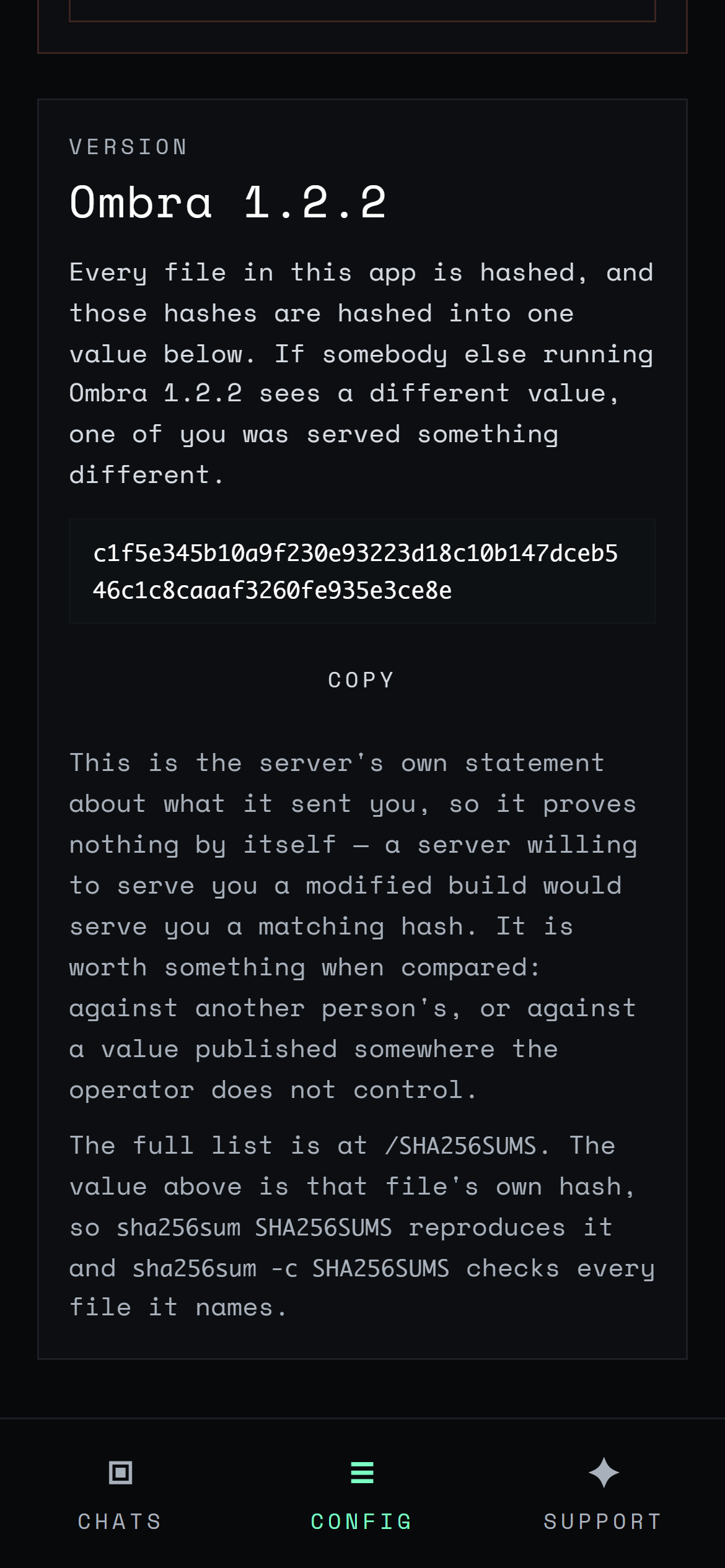
So every file is hashed and those hashes are hashed into one value, shown inside the app. Compare it with somebody else running the same version. If the two differ, one of you was served something different — and that is exactly the thing that would otherwise be invisible.

The build is reproducible: the same source produces the same hashes, so anyone can rebuild it and check. The full list is published at /SHA256SUMS.

The Ombra settings screen showing the version number and the hash of the running build.

Before you rely on it

What this does not do

There is no recovery

Lose the device without a backup and the identity is gone. Nobody holds a copy, including us. Make a backup on the day you start.

One device at a time

Your key lives on one device. You can move it across with a short code, but there is nothing in a cloud keeping two devices in step.

No outside review

The cryptography here has not been examined by anyone independent. It is built on a well-known, openly published design, and that is not the same thing.

A support ticket is the one conversation here we can read — it exists so somebody can answer it, and the app says so before you type. It carries no address and no handle.

Getting it

Install it before you make your key

The installed app has its own storage. A key made in a browser tab does not carry across, so install first and set up once.

On iPhone or iPad

  1. 1 Open this page in Safari. Other browsers on iOS cannot install it.
  2. 2 Tap Share, then Add to Home Screen.
  3. 3 Open Ombra from the Home Screen and set up there.

On Android, or a computer

  1. 1 Open the browser menu — usually three dots in the corner.
  2. 2 Choose Install app or Add to Home screen.
  3. 3 Open Ombra from where it installed, and set up there.

Open it, and you have an address

That is the whole setup. No form, no code by text message, no waiting.